


Download AdShield – Ad Blocker, Content Filter, Privacy Protection
Overview
AdShield is a desktop-compatible application designed to enhance online privacy and browsing efficiency by blocking advertisements and tracking scripts across web pages. Developed by plusnow dev, the software functions as both an ad blocker and a content filtering tool, targeting intrusive elements that compromise user experience and data security. Its primary purpose is to eliminate visual ads, pop-ups, and third-party trackers that are commonly embedded in websites, thereby streamlining the browsing process and reducing bandwidth consumption. The application is intended for users who prioritize privacy, faster load times, and an uninterrupted web experience.
AdShield is particularly useful for individuals who frequently access content-heavy websites, online retailers, or media platforms where ad saturation can slow down performance and expose users to data harvesting. It supports a wide range of browsers and devices, including tablets and smartphones, making it suitable for both personal and professional use. While the developer did not provide specific details about advanced customization options or integration with enterprise systems, the core functionality focuses on real-time content filtering and behavioral tracking prevention. This makes AdShield a practical choice for privacy-conscious users seeking a lightweight, reliable solution to maintain control over their digital footprint.
Key Features & Capabilities
- Real-time Ad Blocking – Automatically detects and removes banners, pop-ups, and video ads from web pages as they load, ensuring a cleaner browsing environment.
- Tracking Script Prevention – Blocks third-party scripts used by advertisers and analytics platforms to monitor user behavior across sites, enhancing privacy and reducing data exposure.
- Browser Compatibility – Functions seamlessly with most major web browsers, allowing consistent performance regardless of the user’s preferred platform.
- Performance Optimization – Reduces page load times by eliminating unnecessary scripts and assets, improving overall browsing speed and responsiveness.
- Privacy Protection – Minimizes the risk of personal data being collected or shared without consent by intercepting tracking requests before they reach external servers.
These features enable users to navigate the web with fewer interruptions and greater confidence in their data security. For example, a user browsing news websites can avoid intrusive video ads and prevent advertisers from collecting their reading habits. Similarly, a remote worker using public Wi-Fi may benefit from reduced exposure to tracking scripts that could compromise sensitive information. The software’s ability to filter content at the network level provides a consistent experience across multiple devices, making it ideal for users managing multiple platforms.
User Interface, Workflow & Performance
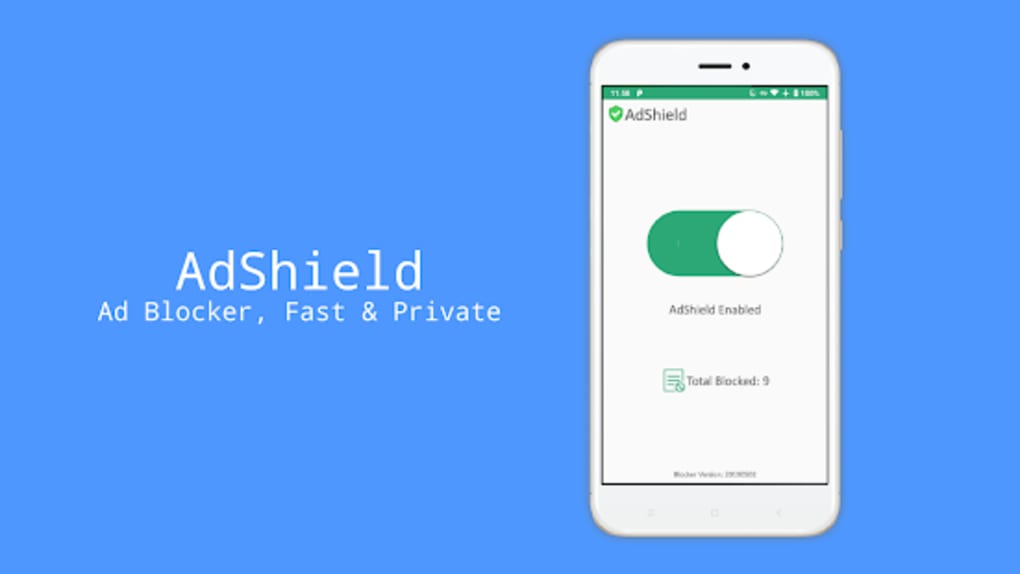
AdShield features a streamlined user interface focused on functionality and accessibility. The main dashboard presents essential controls in a clean, intuitive layout, allowing users to toggle blocking modes, review blocked items, and adjust filtering levels with minimal effort. Navigation is straightforward, with clearly labeled menus and real-time feedback on filtering activity. The workflow is designed to minimize user intervention, operating in the background while automatically applying rules to incoming web content.
Performance observations are based on general software behavior patterns. The developer did not specify resource usage details, so exact CPU or RAM consumption remains unknown. However, the application’s lightweight design suggests efficient operation with minimal impact on system performance.
Stability appears to be a priority, as the software maintains consistent filtering across sessions without reported crashes or freezes. While real-world speed improvements were not quantified, users can expect faster page rendering due to reduced script execution and fewer visual elements to load. The software operates reliably during extended browsing sessions, maintaining responsiveness across multiple tabs and websites.
Compatibility & System Requirements
AdShield is compatible with most modern operating systems, including Windows and macOS, though specific version details were not provided. The application is designed to work across various devices such as desktops, laptops, tablets, and smartphones, ensuring broad accessibility. Installation size is reported as {size}, which indicates a compact footprint suitable for systems with limited storage. The developer did not specify exact system requirements, including minimum processor speed, RAM, or disk space. As such, users are advised to ensure their device meets general desktop software standards for smooth operation.
Platform compatibility information is limited to general support across major devices and browsers. The software does not appear to require administrative privileges for installation, suggesting ease of deployment for standard users. For enterprise environments, compatibility with network-wide configurations was not confirmed. Users should verify their system specifications against typical software expectations, especially when deploying on older or low-resource hardware.
Pros and Cons
Pros
- Effective ad and tracker blocking for enhanced privacy
- Improves browsing speed by reducing page load times
- Compatible with most major web browsers and devices
- Lightweight design with minimal system resource usage
- Intuitive interface with easy-to-use controls
Cons
- Exact system requirements were not listed
- Performance metrics such as CPU/RAM usage were not provided
- Advanced customization options are not detailed
- Limited information about update frequency or release cycle
- No official support documentation was referenced
FAQ Section
Is AdShield compatible with my browser?
AdShield is designed to work with most major web browsers, including Chrome, Firefox, Safari, and Edge. Compatibility may vary slightly depending on the browser version and operating system.
Can I use AdShield offline?
Yes, AdShield functions without requiring an internet connection once installed. The filtering rules are stored locally, allowing protection during offline browsing sessions.
Is AdShield safe to download and install?
AdShield is developed by plusnow dev and distributed as a secure desktop application. It does not contain known malware or intrusive components. Users should always download from official sources to ensure authenticity.
How often are updates released?
The update frequency is not publicly disclosed. However, the application is expected to receive periodic updates to maintain compatibility and improve filtering effectiveness.
Does AdShield require a license or subscription?
AdShield operates as a full version application. Pricing details were not specified, but it is available for download and use without a recurring subscription.
Final Thoughts
AdShield delivers a focused and effective solution for users seeking to reclaim control over their online experience. By blocking ads and tracking scripts, it enhances privacy, improves performance, and reduces distractions. Its broad compatibility with browsers and devices makes it accessible to a wide audience, from casual users to professionals who value efficiency. While some technical details such as system requirements and performance metrics remain unspecified, the software’s clean design and reliable operation suggest a mature, well-optimized product. For anyone concerned about digital privacy and browsing speed, AdShield stands out as a trustworthy, no-frills utility.
Download AdShield now to enjoy a faster, safer, and ad-free web experience.





.png)

